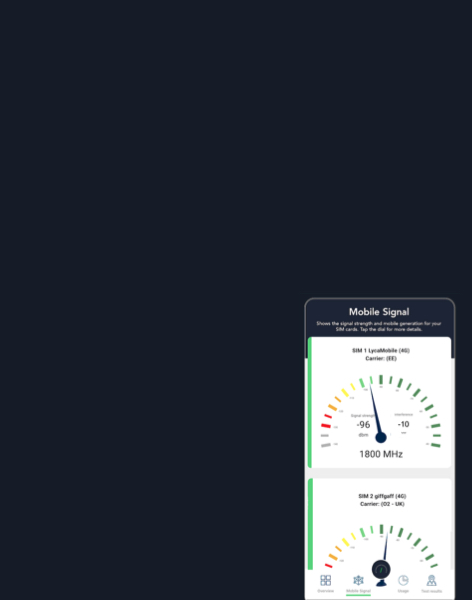
Regular travellers, whether by car, train or bus, may sense that their mobile signal sometimes drops out. But is this a one-off occurrence or does it always happen? It’s hard to test regularly, especially if you are driving and need to keep your attention on the road!
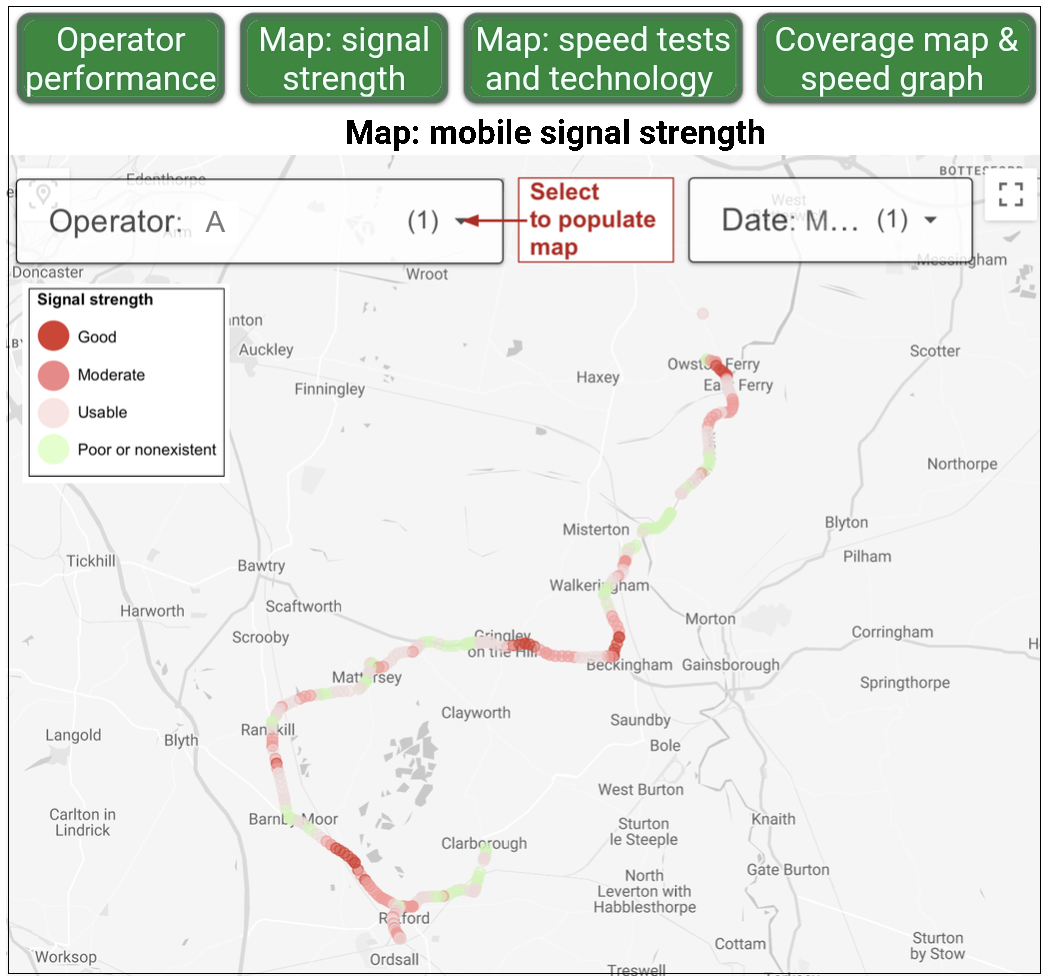
SignalTrackerPro gives you an accurate picture of coverage by running speed and signal tests automatically in the background for a defined period. The results are shown on a map.
SignalTrackerPro signal strength map
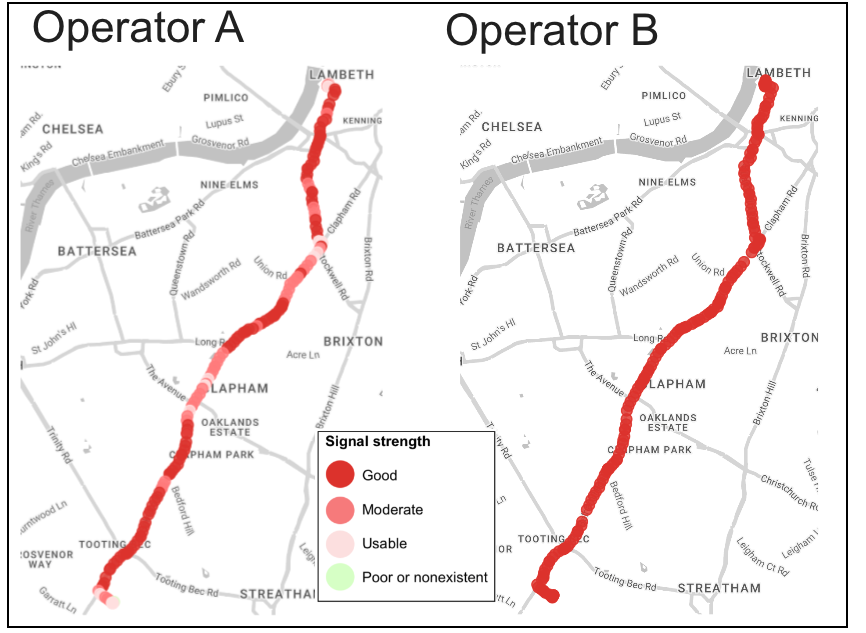
But would you get a better result if you switched operators? Using a second SIM you can compare the results.
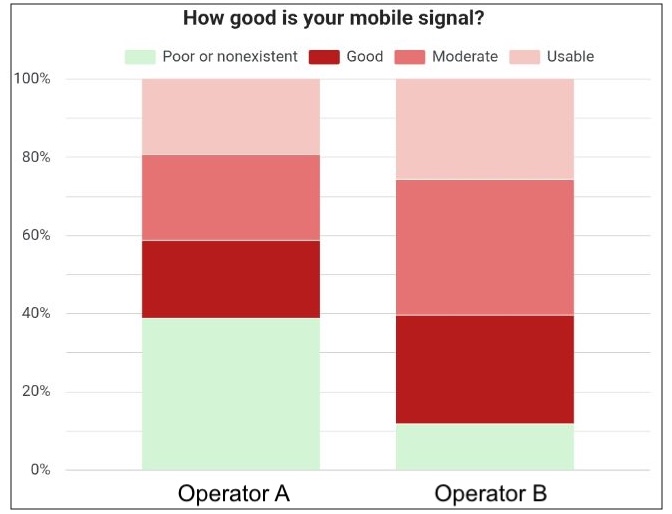
Operator B has a more consistent signal than operator A
The results for both SIMs are also shown in a graph.
SignalTrackerPro: comparing signals from two operators
As well as pointing out not-spots and comparing MNOs, SignalTrackerPro also precisely identifies the mobile technology your phone is using. You may have signed up for the latest version of 5G, known as standalone, but how often are you actually getting it? And how often does the 5G icon actually mean a 4G connection? SignalTrackerPro will tell you.
This upgrade is free and takes less than a minute to set up. You download the standard app then follow the upgrade instructions: there is also a video demonstration. The methodologies used are explained here.